
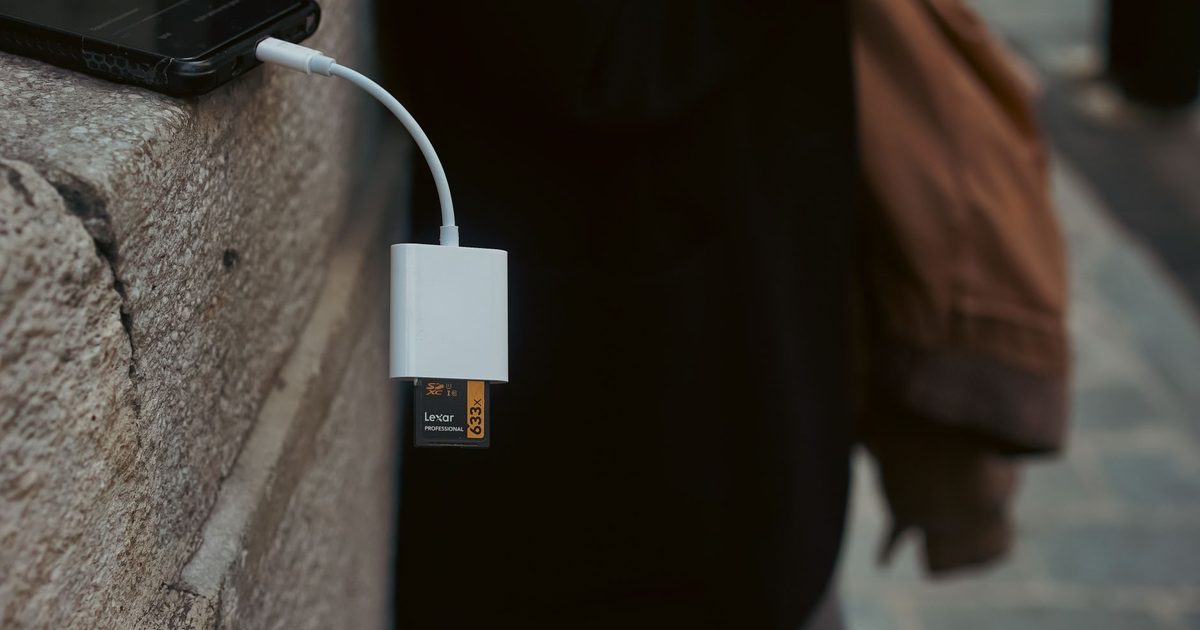
If a card copy feels slow, the reader is rarely the thing holding it up. The limit is almost always the card's own bus. The SD Association puts UHS-I at up to 104MB/s and UHS-II at up to 312MB/s, and the jump comes from hardware you can see: UHS-II adds a second row of pins so it can move data down two lanes instead of one. The catch is that both ends have to be UHS-II. Put a UHS-I card in a UHS-II reader and you get UHS-I speed, because there is no second row of pins on the card for the reader to talk to. So the first question is not which reader is fastest, it's which card you actually shoot.
The second question is what you are plugging into. A laptop is happy with a plain reader. A phone or an iPad has one port, and the moment a reader is in it there is nowhere left for a charger, so the reader that also passes power through earns its place. And an older camera with a CompactFlash card in it needs a reader that still has a CF slot at all. The three picks below answer those three situations. If what you actually want is one dongle that reads cards and drives a monitor and a wired network from a laptop desk, that is a hub, not a reader, and our USB-C hub with SD card reader guide is the honest place to go instead.
Top picks
1. JSAUX 4-in-1 USB-C SD Card Reader with USB 3.0 and Charging Port - Best Overall
SPP Score: 8.6 / 10 - Reads cards on a phone or iPad and keeps it charged. Our all-round pick.
Capability 8.0/10 - Versatility 8.5/10 - Build 8.0/10 - Value 8.9/10 - Fit 9.4/10
Fit for this guide: The one reader here that works plugged into a phone or iPad and still charges, with SD, microSD and a USB-A host port.
Every pick here is scored out of 10: four marks rate the product and are the same in every guide, and the fifth rates its fit for this guide - how we test and score.
Most people reaching for a USB-C reader are plugging it into a phone, an iPad or a laptop, and this JSAUX is the one that copes with all three without leaving you stuck. It has an SD slot and a microSD slot, a full-size USB 3.0 host port for a drive or a second card adapter, and a separate USB-C port that JSAUX lists for charging. That last port is the reason it tops the list: plug the reader into a phone or an iPad and the one socket is now taken, so being able to run a charger into the reader and keep the device alive while you empty a card is the difference between finishing the job and watching a battery warning. It reads at UHS-I speeds rather than UHS-II, so it is not the quickest here, and it is the pick to buy for flexibility rather than raw pace.
Pros
- ✓ Reads cards plugged into a phone or iPad while a charger keeps the device powered
- ✓ An SD slot, a microSD slot and a USB-A 3.0 host port in one small adapter
- ✓ Works the same on a laptop, so it is the one reader that suits every device in the bag
Cons
- ✗ Card reads run at UHS-I, so it is built for flexibility rather than top copy speed
- ✗ The extra USB-C port is for charging, not a second data device, so a drive goes on the USB-A port
- ✗ No CompactFlash slot, so an older CF camera is out
Who it's for: Anyone who pulls cards on a phone, an iPad or a laptop and wants one reader that charges the device at the same time.
Who it's not for: A photographer chasing the fastest possible copy off a UHS-II card.
2. BENFEI 4-in-1 USB 3.0 and USB-C Card Reader - Best Budget
SPP Score: 8.3 / 10 - Reads every card format including CF, on any machine. Our value pick.
Capability 8.0/10 - Versatility 8.0/10 - Build 8.0/10 - Value 8.9/10 - Fit 8.5/10
Fit for this guide: The cheapest pick and the only one here that reads CF, with a USB-C and a USB-A plug for any machine.
This is the reader to buy when you just want to get cards off something and don't want to think about it. BENFEI's listing reads SD, microSD, Memory Stick and CompactFlash, which makes it the only pick here that will take the card out of an older DSLR that still shoots CF. It carries two plugs, a USB-C and a full-size USB-A, so it works on a new laptop and the old desktop in the study without an adapter. It is a plain UHS-I reader in a plastic shell, so it will not beat the card's own speed limit and it will not win any awards for feeling nice in the hand, but it does the one job on the widest range of machines and cards for the least money. For most households with a drawer of mixed cards, it is enough.
Pros
- ✓ Reads SD, microSD, Memory Stick and CompactFlash, so it handles a drawer of mixed cards
- ✓ Both a USB-C and a USB-A plug, so it works on a new laptop or an older desktop
- ✓ The lowest-cost way here to read cards from a trusted name rather than an unknown one
Cons
- ✗ UHS-I speeds only, so a fast card reads no quicker than on the overall pick
- ✗ A plastic body, and the twin-plug shape is bulkier in a camera bag than a single-cable reader
- ✗ No passthrough charging, so on a phone or iPad you read the card or charge, not both
Who it's for: Anyone with a mix of cards, including CompactFlash, who wants a cheap reader that works on any computer.
Who it's not for: A phone or iPad user who needs to charge while reading, or anyone after UHS-II speed.
3. UGREEN SD 4.0 USB-C Card Reader (Dual-Slot UHS-II) - Best Premium
SPP Score: 8.5 / 10 - The only UHS-II pick, for the fastest card copies. Our pick for speed.
Capability 8.0/10 - Versatility 8.0/10 - Build 8.9/10 - Value 8.5/10 - Fit 8.9/10
Fit for this guide: The only reader here that clears the UHS-I ceiling, so a full card of RAW frames copies faster - but only with UHS-II cards.
Buy this one if you shoot a lot and your cards are UHS-II. Where the other two read at UHS-I speeds, UGREEN rates this SD 4.0 reader to a 312MB/s bus maximum, the UHS-II ceiling the SD Association quotes, and it has the second row of pins a UHS-II card needs to hit it. On a full card of RAW frames or a long video clip that is roughly the difference between a coffee break and a card copy. It's an aluminium-bodied dual-slot reader, so an SD and a microSD card sit in it at once for moving files between them. Two honest notes before you buy. That 312MB/s is the bus maximum, not a promise about any one card, so a slower UHS-II card will land below it. And on a UHS-I card it reads at UHS-I speed like everything else here, because the speed lives in the card as much as the reader. If your cards are ordinary SDs, you are paying for a ceiling you will not reach.
Pros
- ✓ The only reader here that clears UHS-I, rated by UGREEN to the 312MB/s UHS-II ceiling
- ✓ Has the second row of pins a UHS-II card needs, so the speed is real with the right card
- ✓ An aluminium dual-slot body that reads an SD and a microSD card at the same time
Cons
- ✗ The 312MB/s is a bus maximum, so a given UHS-II card will copy somewhat below it
- ✗ A UHS-I card reads at UHS-I speed in it, so it is wasted money on ordinary cards
- ✗ No USB-A plug and no passthrough charging, so it is a reader and nothing else
Who it's for: A photographer or videographer shooting UHS-II cards who wants the fastest copy off a full card.
Who it's not for: Anyone shooting ordinary UHS-I cards, who gains nothing from the faster bus.
Quick verdict
For most people the JSAUX 4-in-1 USB-C SD Card Reader with USB 3.0 and Charging Port is the one to buy: it reads cards on a phone, an iPad or a laptop, and its charging port keeps the device powered while a card copies. If you just want the cheapest reader that handles a drawer of mixed cards, including CompactFlash from an older camera, the BENFEI 4-in-1 USB 3.0 and USB-C Card Reader does it on any machine in the house. And if you shoot UHS-II cards and want the quickest copy off a full one, the UGREEN SD 4.0 USB-C Card Reader (Dual-Slot UHS-II) is the only pick here that clears the UHS-I speed limit.
How we chose
One fact shaped this list more than any other: a reader cannot make a card faster than the card's own bus allows. The SD Association's bus limits are the ceiling, not the reader, and only a UHS-II card in a UHS-II reader reaches the faster one. So we ranked on the things that actually change the outcome: which card formats a reader takes, whether it can charge a phone or iPad while it reads, and whether it clears UHS-I at all. We read each maker's own listing for the speeds and ports quoted here and have published no transfer time we have not been given, because we have not timed these ourselves. Placement is never paid for. Every link goes to the reader's own Amazon UK page, so you can confirm the card formats it takes before you buy.
FAQ
Q: Why is my SD card copy so slow? A: Almost always the card, not the reader. A card's speed is set by its bus: the SD Association puts UHS-I at up to 104MB/s and UHS-II at up to 312MB/s. A fast reader cannot lift a UHS-I card above the UHS-I ceiling, so if copies feel slow the usual fix is a faster card, not a faster reader.
Q: Will a UHS-II reader make my cards faster? A: Only if the cards are UHS-II as well. UHS-II works by adding a second row of pins for a second data lane, and a UHS-I card does not have them, so it reads at UHS-I speed in any reader. The UGREEN pick is worth it if you shoot UHS-II cards and wasted on ordinary ones.
Q: Can I read a card on my phone or iPad and charge it at the same time? A: Yes, with the right reader. A phone or iPad has one port, so a plain reader blocks the charger. The JSAUX overall pick adds a USB-C charging port for exactly this, so the device stays powered while a card copies.
Q: Do any of these read CompactFlash? A: The BENFEI budget pick does. Its listing reads SD, microSD, Memory Stick and CompactFlash, which makes it the one here for an older DSLR that still shoots CF. The other two are SD and microSD only.
Q: Should I buy a card reader or a hub with a card slot? A: A reader if cards are the whole job and you want something pocketable. A hub if you also want to drive a monitor, wired network or charging from the same dongle at a desk, in which case our USB-C hub with SD card reader guide covers the all-in-one options.
Affiliate disclosure: This page contains affiliate links. As an Amazon Associate we earn from qualifying purchases, at no extra cost to you. See our disclosure page for details.