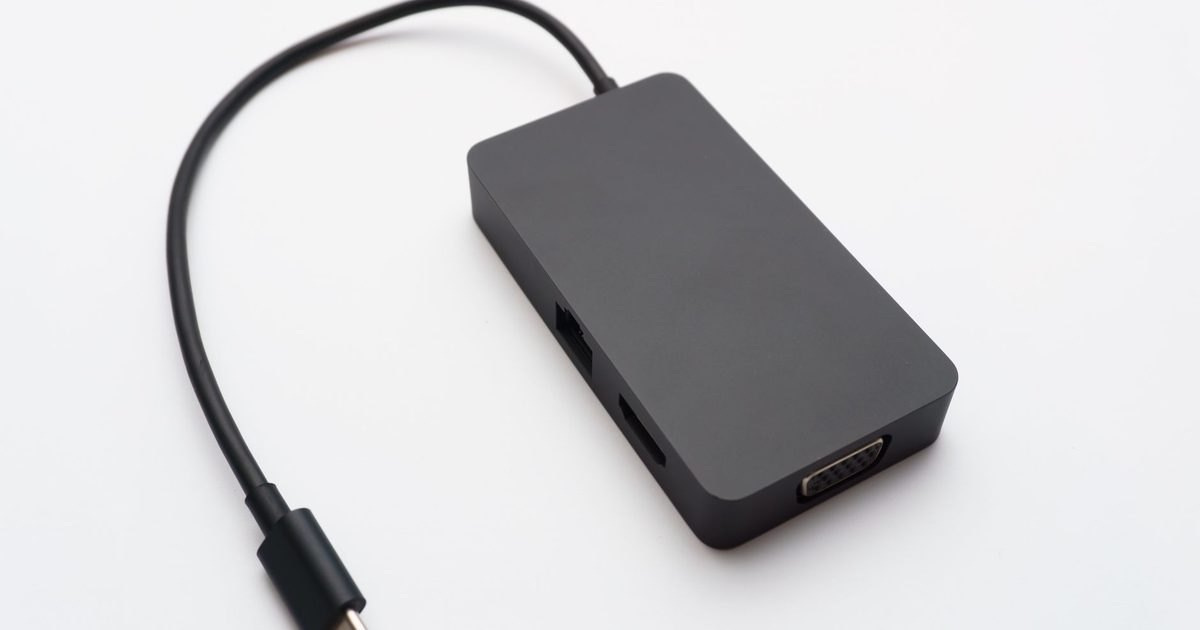
Wi-Fi dropping out mid-call or lagging during a download? A USB-C Ethernet adapter gives your laptop, tablet, or mini PC a proper wired connection. You will also see these sold as USB-C network adapters or Ethernet dongles; they are the same device, and the gigabit-and-faster models below are the ones worth buying. This UK guide covers three solid picks for plugging into your router or a wall socket and getting stable, low-latency networking on the go. If you would rather add Ethernet and extra ports in one device, see our USB-C hub with ethernet guide.
Top picks
1. UGREEN USB C to 2.5G Ethernet Adapter - Best Overall
SPP Score: 7.3 / 10 - 2.5Gbps wired Ethernet over a single USB-C connector, plug-and-play. Our all-round pick.
Capability 8/10 - Versatility 6/10 - Build 7/10 - Value 8/10
UGREEN is a well-known name in connectivity accessories, and this 2.5G adapter is the right call for most people. It converts a single USB-C port into a 2.5Gbps RJ45 Ethernet connection, giving you headroom beyond standard Gigabit for UK home broadband, video calls, and large file transfers. It's plug and play, and the compact form factor makes it an easy permanent resident in a laptop bag.
Pros
- ✓ 2.5Gbps Ethernet gives headroom beyond standard Gigabit adapters
- ✓ Single USB-C connector works with most modern laptops and tablets
- ✓ Plug and play with a compact, portable design for travel or hot-desking
Cons
- ✗ The 2.5G ceiling only pays off if your broadband and network support it
- ✗ A standalone adapter with no extra pass-through power or hub ports
Who it's for: Anyone who wants a reliable, no-fuss wired connection for a USB-C laptop, with room to grow into faster broadband. Who it's not for: Users who need extra USB ports or a full hub from a single dongle.
2. Amazon Basics USB-C to Gigabit Ethernet Adapter - Best Budget
SPP Score: 7.2 / 10 - Gigabit Ethernet, plug-and-play simplicity. Our value pick.
Capability 7/10 - Versatility 6/10 - Build 8/10 - Value 8/10
The sensible-value choice that covers the essentials without any extras you don't need. It's plug and play with no drivers to install: connect the USB-C end to your device and the RJ45 end to your router and you are online. A single-purpose dongle like this keeps things simple for everyday wired networking.
Pros
- ✓ Plug and play with no drivers needed
- ✓ Gigabit RJ45 output suits typical UK home and office broadband
- ✓ Simple single-function design that just gets you wired
Cons
- ✗ Single-function adapter with no additional ports or hub features
- ✗ Limited to Gigabit, so not future-proofed for multi-gig connections
Who it's for: Anyone wanting a straightforward, dependable wired connection without paying for features they won't use. Who it's not for: Users who need extra USB ports, card readers, or multi-gig speeds from one dongle.
3. UGREEN USB C to 5G Ethernet Adapter - Best Premium
SPP Score: 7.7 / 10 - 5Gbps wired Ethernet over USB-C, plug-and-play. Our pick for maximum capability.
Capability 9/10 - Versatility 6/10 - Build 7/10 - Value 8/10
This UGREEN adapter steps up to 5Gbps Ethernet for the most capable connection of the three. If you are on a multi-gigabit broadband package or moving large files across a fast local network, the 5G ceiling gives you real headroom beyond both standard Gigabit and 2.5G adapters. It converts a single USB-C port into a 5Gbps RJ45 connection and stays plug and play, making it the do-it-all pick for power users who want to make the most of a fast line.
Pros
- ✓ 5Gbps Ethernet unlocks speeds well beyond standard Gigabit and 2.5G adapters
- ✓ Single USB-C connector with plug-and-play setup and no hub to manage
- ✓ Headroom for multi-gig UK broadband and fast local file transfers
Cons
- ✗ The 5G capability only pays off if your network and broadband support it
- ✗ Single-purpose design, so extra USB ports still need a separate hub
Who it's for: Power users on multi-gigabit broadband or fast local networks who want maximum wired throughput. Who it's not for: Anyone on standard Gigabit broadband, where a basic adapter delivers the same real-world speed.
Quick verdict
For most people the UGREEN USB C to 2.5G Ethernet Adapter is the pick to beat: it pairs 2.5Gbps speed with a compact, travel-friendly design that suits typical UK broadband while leaving room to grow. If you want to cover the essentials without the extras, the Amazon Basics USB-C to Gigabit Ethernet Adapter is the sensible-value choice. Step up to the UGREEN USB C to 5G Ethernet Adapter only if you are on a multi-gigabit line.
USB-C network adapter, Ethernet dongle or Ethernet adapter: is there a difference?
No. Retailers and manufacturers use all three names for the same thing: a small device with a USB-C plug on one end and an RJ45 Ethernet socket on the other. Some listings call it a USB-C to Gigabit Ethernet adapter, some a USB-C network adapter, and plenty of buyers just search for an Ethernet dongle. Whatever it is called, it does one job: it gives a device that has no Ethernet port a wired network connection through USB-C. The things that genuinely separate one from another are the speed class it supports, whether it is plug and play on your operating system, and how well it is built for a life in a laptop bag. Those three feed directly into the scores above.
Gigabit, 2.5G or 5G: which speed do you actually need?
Match the adapter to the slowest link in your chain, not the fastest number on the box. A wired connection is only as quick as your broadband package, your router's LAN ports and the cable you plug in, and most UK home broadband still sits well below Gigabit. In that situation a Gigabit adapter delivers the full speed of your line and a 2.5G or 5G model gains you nothing on downloads, although you still get the stability and low latency that make wired better than Wi-Fi for video calls and gaming. The faster classes earn their keep in two cases. The first is a full-fibre multi-gigabit package. The second is moving large files between machines on your own network, where a 2.5G router or switch lets two computers talk far faster than Gigabit allows. If you are not sure, check your router: if its LAN ports are labelled 1G or 10/100/1000, a Gigabit adapter is all it can use.
Ethernet to USB-C: how to connect it
- Plug the adapter into a USB-C port that supports data. Most laptop ports do, but some charge-only ports on docks and monitors will not recognise it.
- Run an Ethernet cable from the RJ45 socket on the adapter to a spare LAN port on your router, mesh node or switch. Any Cat5e or better cable handles Gigabit; Cat6 is the comfortable choice for 2.5G and above.
- Wait a few seconds. Windows 11 and macOS pick up plug-and-play adapters automatically and switch to the wired connection on their own.
- Turn Wi-Fi off while you are wired. Both systems prefer Ethernet when it is available, but switching Wi-Fi off removes any doubt and stops the laptop hopping between the two.
- Run a speed test. If the result is far below what you expect, the usual culprits are a slow router LAN port, an old cable, or the adapter sitting in a charge-only port.
Will a USB-C Ethernet adapter work with my device?
- MacBook Air and MacBook Pro: yes, on every USB-C model. macOS supports common adapter chipsets without extra software.
- Windows laptops: yes, on any USB-C port that carries data. Ultraportables with only USB-C ports are the main reason these adapters exist.
- USB-C iPads (iPad Pro from 2018, iPad Air from 2020, iPad mini 6 and iPad 10th gen): yes, iPadOS supports wired networking through a USB-C Ethernet adapter, which is handy for big downloads or stable video calls.
- Steam Deck: yes, either directly or through a dock; for the dock route see our USB-C hub for Steam Deck guide.
- Android phones and tablets: most current models support it, though a handful of budget phones lack the software support and will simply not see the adapter.
- Chromebooks: yes, ChromeOS handles standard adapters automatically.
The one thing to check before buying is that the port you plan to use is a data port, not a charge-only one. If a USB-C port works with a flash drive, it is a data port, and an Ethernet adapter will work on any of the devices listed above. For tablets and handhelds, Gigabit and 2.5G adapters are the safe bet; check the maker's compatibility notes before choosing a 5G model for anything other than a laptop.
How we chose
A single-purpose adapter keeps the checklist short: Ethernet speed (Gigabit, 2.5G, or 5G), the USB-C connector standard, plug-and-play compatibility, and build quality for everyday durability. We weighed UK fit, since most home broadband is comfortably served by Gigabit while multi-gig packages benefit from a 2.5G or 5G adapter, and prioritised honest value over feature bloat. The links open each adapter's live Amazon UK listing; once you've settled on a speed class, check the current price and stock there.
FAQ
Q: What is the difference between a USB-C network adapter and a USB-C Ethernet adapter? A: Nothing, they are two names for the same device. A USB-C network adapter, Ethernet adapter or Ethernet dongle all convert a USB-C port into an RJ45 wired connection; only the speed class and build differ between models.
Q: Can I connect an Ethernet cable to USB-C? A: Yes. An Ethernet cable cannot plug into USB-C directly, but a USB-C Ethernet adapter bridges the two: the cable goes into the adapter's RJ45 socket and the adapter plugs into your device's USB-C port.
Q: Do I need drivers to use a USB-C Ethernet adapter? A: Many modern adapters, including the Amazon Basics pick, are plug and play on current versions of Windows and macOS, though some chipsets may prompt a quick driver download the first time.
Q: Is Gigabit or 2.5G Ethernet better for me? A: For standard UK home broadband, Gigabit is plenty and you won't see a difference; 2.5G only pays off if your broadband and the rest of your network actually support multi-gigabit speeds.
Q: Why is my USB-C Ethernet adapter slow? A: Check the chain. A router LAN port limited to 100Mbps, an old or damaged cable, or an adapter plugged into a charge-only USB-C port will all cap your speed well below what the adapter itself can do.
Q: Will a USB-C Ethernet adapter work with my tablet or phone? A: Usually. USB-C iPads, Chromebooks and most current Android phones and tablets support wired Ethernet through an adapter; a few budget Android phones do not, so check your model if it is not in the list above.
Affiliate disclosure: This page contains affiliate links. As an Amazon Associate we earn from qualifying purchases, at no extra cost to you. See our disclosure page for details.