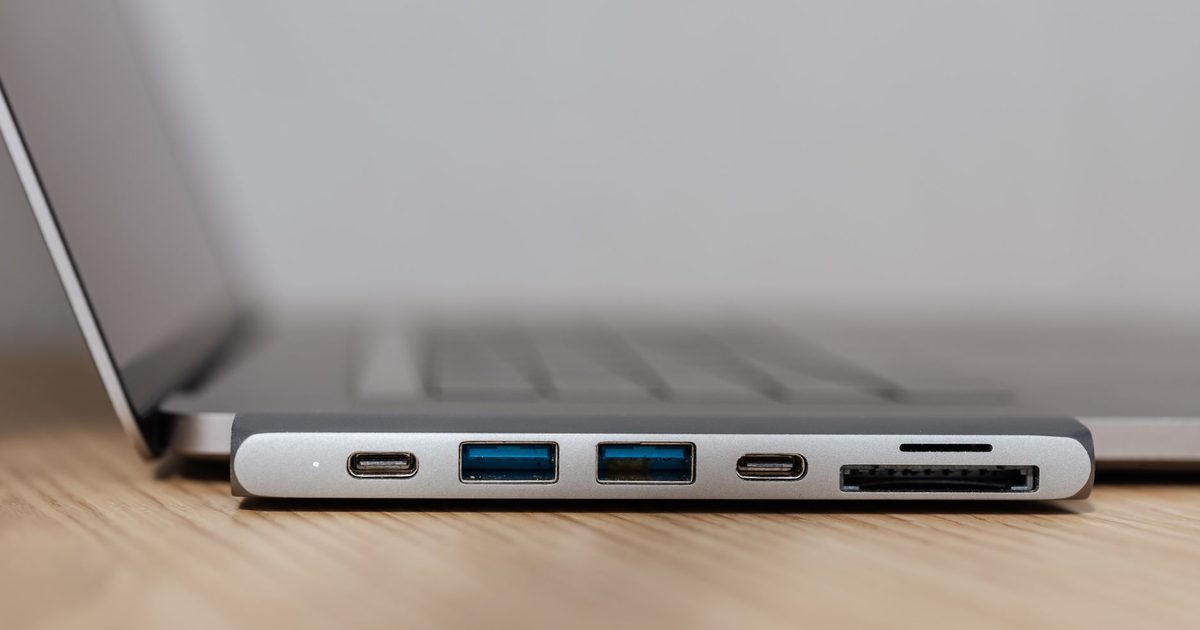
The MacBook Air M1 is a brilliant machine, but its single pair of USB-C ports fills up fast. This guide rounds up the best USB-C hubs to add HDMI, USB-A, card readers and more to your M1 Air, so you can connect a monitor, drive and peripherals without juggling dongles.
Top picks
1. Anker USB C Hub (7-in-1) with 4K HDMI and 85W PD - Best Overall
SPP Score: 7.9 / 10 - 7-in-1 connectivity. Our all-round pick.
Capability 7/10 - Versatility 9/10 - Build 8/10 - Value 8/10
The M1 Air gives you two USB-C ports and one usually goes to the charger; this Anker 7-in-1 wins the remaining port back, covering the connections most setups rely on day to day. The 4K HDMI output lets you run an external display, while 85W pass-through Power Delivery keeps the laptop charging through the same USB-C connection. Add two USB-A ports plus SD and microSD readers and it covers photographers, students and home-office setups alike. If card offloads are the main event, our USB-C hub with SD card reader guide includes a dual-plug pick made for MacBooks.
Pros
- ✓ 4K HDMI output for connecting an external monitor to the M1 Air
- ✓ 85W pass-through Power Delivery charges the laptop while the hub is in use
- ✓ Both SD and microSD card slots handle camera and drone footage offloads
Cons
- ✗ No Ethernet port, so wired networking needs a different hub
- ✗ Slightly bulkier than a single-port adapter to carry around
Who it's for: M1 Air owners who want one tidy hub that covers display, charging, USB-A and card reading. Who it's not for: Anyone who needs a wired Ethernet connection or the fastest possible data transfer.
2. UGREEN Revodok 7-in-1 USB C Hub with Gigabit Ethernet - Best Budget
SPP Score: 7.7 / 10 - 7-in-1 connectivity, wired Ethernet. Our value pick.
Capability 7/10 - Versatility 9/10 - Build 7/10 - Value 8/10
Desk-bound Air owners should start here: the UGREEN Revodok trades the overall pick's microSD slot for Gigabit Ethernet, the better swap if your laptop spends its life within a cable's reach of the router. You also get 4K HDMI, three USB-A ports, an SD slot and 100W pass-through Power Delivery, which is a generous spread for a no-fuss hub. UGREEN is a well-established name in charging and connectivity accessories. And if you'd rather keep the hub you have and just add wired networking, a standalone USB-C Ethernet adapter does that one job.
Pros
- ✓ Gigabit Ethernet built in for reliable wired networking on the M1 Air
- ✓ 100W pass-through Power Delivery to keep the laptop topped up
- ✓ Three USB-A ports cover keyboards, mice and legacy peripherals
Cons
- ✗ Only one card slot (SD), with no dedicated microSD reader
- ✗ USB-A ports prioritise everyday use over the fastest transfer speeds
Who it's for: Buyers who want Ethernet and plenty of USB-A without paying for premium extras. Who it's not for: Anyone who regularly offloads from microSD cards or needs 10Gbps speeds.
3. Anker USB C Hub 8-in-1 with Ethernet and 10Gbps - Best Premium
SPP Score: 8.6 / 10 - 8-in-1 connectivity, wired Ethernet, high-speed data. Our pick for maximum capability.
Capability 9/10 - Versatility 9/10 - Build 8/10 - Value 8/10
This Anker 8-in-1 is the pick for creators who saturate their ports: 10Gbps data across its USB-C and USB-A connections, so external SSD transfers don't crawl. It pairs that speed with wired Ethernet, HDMI, dual card slots and 85W pass-through Power Delivery, and Anker lists it as Thunderbolt compatible, which covers the M1 Air. If you move large files and want headroom, this is the most capable option here.
Pros
- ✓ 10Gbps USB-C and USB-A ports for fast external drive transfers
- ✓ Wired Ethernet plus HDMI and 85W pass-through charging in one unit
- ✓ Both SD and microSD readers for flexible media offloading
Cons
- ✗ More hub than light users need for basic display and USB-A duties
- ✗ Premium positioning compared with simpler single-output adapters
Who it's for: Power users and creators who move large files and want the broadest port selection. Who it's not for: Anyone who only needs HDMI and a USB-A port for occasional use.
Quick verdict
For most M1 Air owners the Anker USB C Hub (7-in-1) with 4K HDMI and 85W PD is the one to get, balancing display output, charging, USB-A and card readers in a tidy package. If you want strong value with wired Ethernet thrown in, the UGREEN Revodok 7-in-1 USB C Hub with Gigabit Ethernet covers the essentials nicely. Power users who move big files should look at the Anker USB C Hub 8-in-1 with Ethernet and 10Gbps.
How we chose
The Air itself wrote the checklist: 4K HDMI for external displays, pass-through Power Delivery wattage so the laptop keeps charging, the mix of USB-A and USB-C data ports, card readers, and standards like Gigabit Ethernet and 10Gbps transfer. We weighed UK everyday fit, portability and overall value across light users and creators. With only two ports on the Air it's worth choosing once and well, so follow the links and check each hub's current price and stock on Amazon UK before you commit.
FAQ
Q: Will these hubs work with the MacBook Air M1? A: Yes, all three connect via USB-C and are designed to work with the M1 Air, including HDMI output and pass-through charging.
Q: Can a USB-C hub charge my MacBook Air while it's plugged in? A: Yes, each pick offers pass-through Power Delivery, so you connect your charger to the hub's USB-C PD port and power the laptop through the same connection.
Q: Do I need one with Ethernet? A: Only if you want a wired network connection; if you rely on Wi-Fi, the overall pick without Ethernet may suit you better, otherwise choose the budget or premium hub.
Affiliate disclosure: This page contains affiliate links. As an Amazon Associate we earn from qualifying purchases, at no extra cost to you. See our disclosure page for details.